Making The Creature
One might assume that creating a small creature to walk around the screen would be a simple task, and they would be correct. However, this is cetainly not the case when, like me, you know absolutely nothing about web development. So...bear with me on this unneccessarily long journey of creating The Creature
Step One: Movement
To start with, I created placeholder images for the two directions in which the creature faces: left and right. I had originally intended to make the creature remain fixed on the screen, but ended up deciding to allow it to explore freely outside of the view window. Once the initial formatting was complete, it was on to the next section, and by far the longest: movement.
I quickly discovered that I had absolutely no idea how to move an element which was created in html using javascript. Online forums were only marginally helpful, as there are only a few good solutions amidst mountains of people who are just as lost as I was. Naturally, I tried a few...creative solutions.
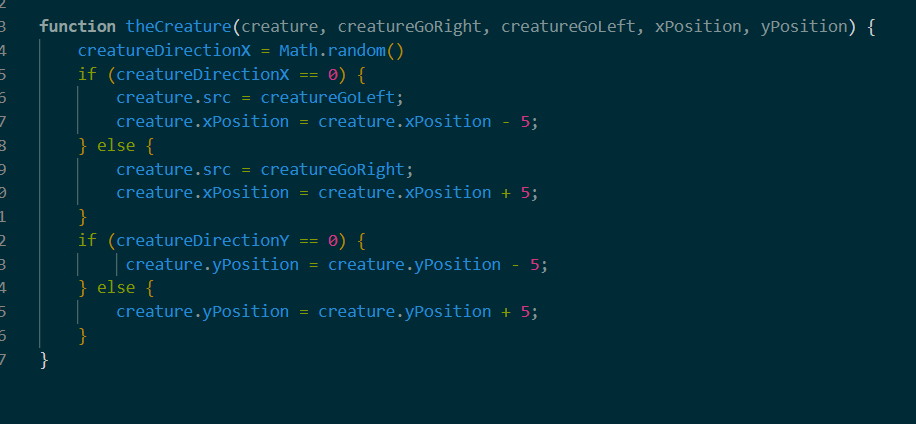
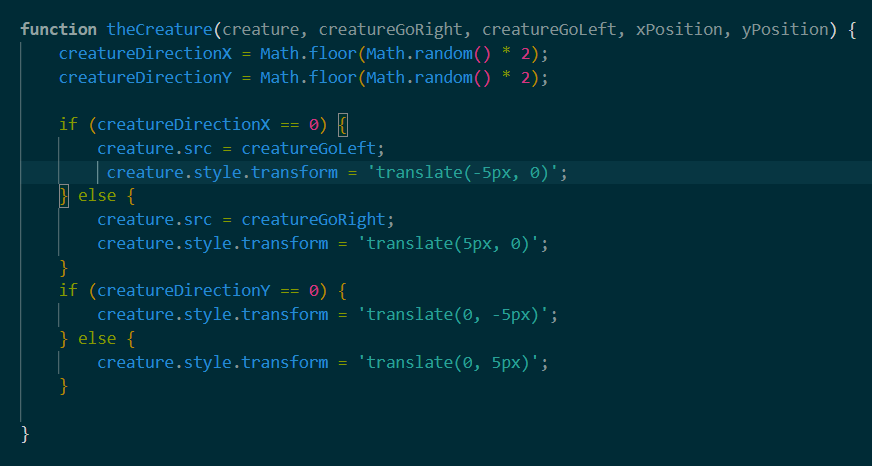
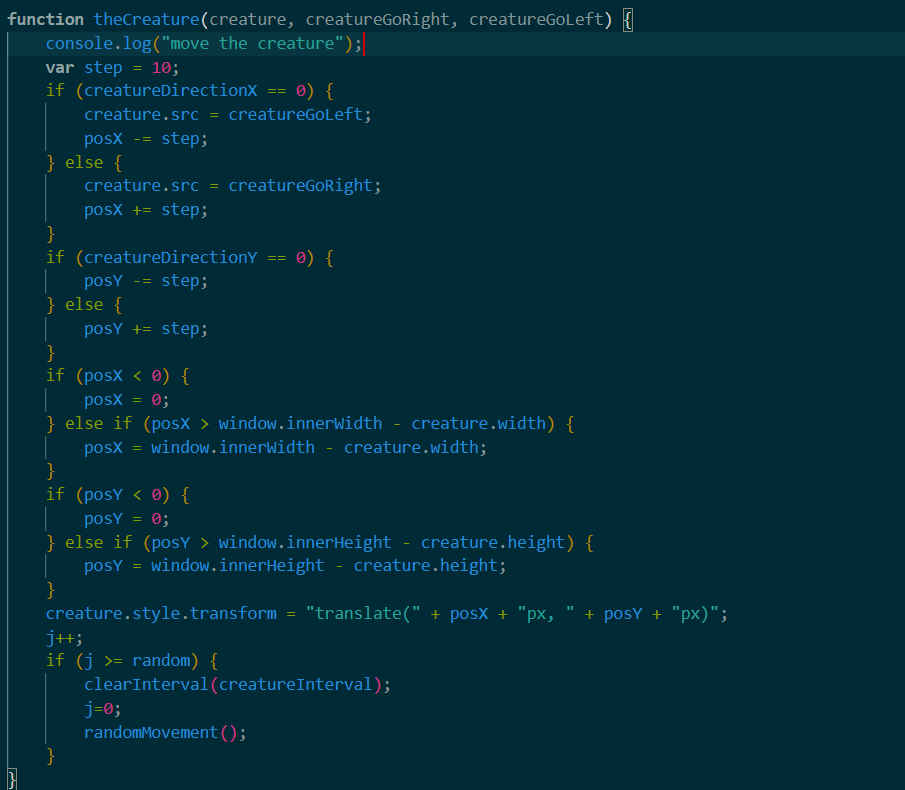
Yeah..that was a bit embarrasing. I hadn't yet realized that translations cannot stack, so I was stuck with the creature grinding its heels in its initial position, plus or minus a few pixels. On a bright note, I quickly discovered the setInterval() function, which was imperative for my endeavour to succeed. Before figuring out the movement logic, I realized that the creature was unlikely to explore much if each movement was perfectly random. This led me to create a second, recursive function to handle the movement logic, so that the creature could be its strange little self.
I finally realized that the problems I was having with movement were due to a complete misunderstanding of the documentation I had read, and then reworked the code so that the transforms were no longer attempting to iterate on other transforms. With this, the creature's movement was essentially complete.
Step Two: The Art
Now that the creature actually worked, I needed an actual sprite to represent it in place of the grey blocks I had been using previously. So, I opened up Krita and made a quick pixel cat. This was actually my first time using Krita's pixel art features, so I was pleasently surprised by how easy I found the process. After making the sprite, I scaled it up to the desired size and created a flipped version for the other direction. Once inserted, the creature was free to wander the site as it pleased.
